
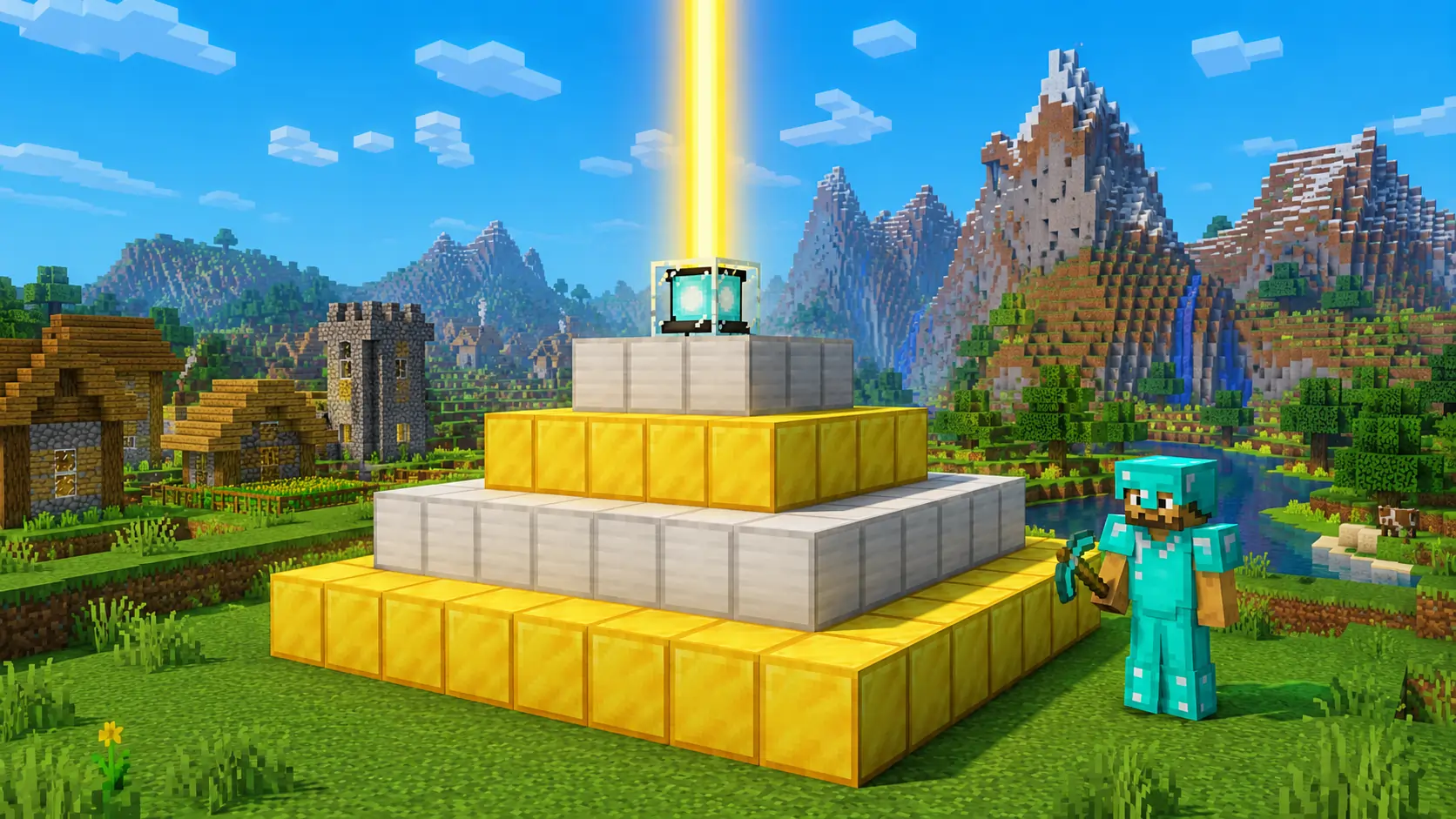
So you have defeated the Ender Dragon and collected a Nether Star. Now you want to build a Beacon – one of the most powerful end-game blocks in Minecraft. A Beacon gives you permanent buffs like Haste, Strength, Speed, and Regeneration within a large area.
But making and activating a Beacon is not simple. You need rare materials, a proper pyramid base, and the right setup. In this guide, I will show you exactly how to craft a Beacon, build the pyramid, and activate all its powers.
Let’s begin.
1️⃣ What Does a Beacon Do in Minecraft?
A Beacon is a special block that projects a beam of light into the sky and grants status effects to players within a certain radius. Once activated, you can choose primary and secondary powers.
Primary powers (one at a time):
- Speed – Move faster
- Haste – Mine blocks faster
- Resistance – Take less damage
- Jump Boost – Jump higher
- Strength – Deal more melee damage
Secondary power (only with a fully powered 4-layer pyramid):
- Regeneration – Heal over time (extremely useful)
Note: The Beacon does not work in the Nether or The End. It only works in the Overworld.
2️⃣ How to Craft a Beacon – Ingredients and Recipe
To craft one Beacon, you need:
| Ingredient | Quantity | How to Get |
| Nether Star | 1 | Drop from Wither boss (defeat Wither) |
| Glass | 5 | Smelt sand in furnace |
| Obsidian | 3 | Mine with diamond pickaxe from lava pools |
Crafting recipe (crafting table):
G G G
G S G
O O O
G = Glass, S = Nether Star, O = Obsidian
Place glass in top row, Nether Star in center, obsidian in bottom row. You get 1 Beacon.
Pro tip: The Wither is a very difficult boss. Prepare with good armor (diamond/netherite), golden apples, and a bow. Fight it underground to prevent it from flying away.
3️⃣ How to Build a Beacon Pyramid – Full Guide
A Beacon alone does nothing. You must place it on top of a pyramid made of mineral blocks. The pyramid can be 1 to 4 layers high. More layers = more powers and larger range.
Acceptable Pyramid Blocks (any combination)
- Iron Block
- Gold Block
- Diamond Block
- Emerald Block
- Netherite Block
Layer-by-Layer Construction
Layer 1 (Base – 9×9)
Place a 9×9 square of mineral blocks on the ground. That’s 81 blocks.
Layer 2 (7×7)
Place a 7×7 square centered on top of layer 1. That’s 49 blocks.
Layer 3 (5×5)
Place a 5×5 square centered on top of layer 2. That’s 25 blocks.
Layer 4 (3×3)
Place a 3×3 square on top of layer 3. That’s 9 blocks.
Top – Place the Beacon
Finally, place your Beacon block on the very top center of the 3×3 layer.
Total Blocks Needed for Each Pyramid Size
| Pyramid Size (Layers) | Mineral Blocks Required | Beacon Powers Available |
| 1 layer (3×3 base) | 9 | Primary power only, range 20 blocks |
| 2 layers (5×5 base) | 34 (9+25) | Primary power, range 30 blocks |
| 3 layers (7×7 base) | 83 (9+25+49) | Primary power, range 40 blocks |
| 4 layers (9×9 base) | 164 (9+25+49+81) | Primary + Regeneration, range 50 blocks |
Best value: Use iron blocks – iron is abundant and easy to farm (iron golem farms, mining). Netherite blocks look cool but are extremely expensive.
4️⃣ How to Activate a Beacon – Step-by-Step
Once your pyramid is built and the Beacon is on top, follow these steps:
Step 1 – Right-click the Beacon
Right-click (or tap) on the Beacon block. A GUI (interface) will open.
Step 2 – Insert the Fuel (Mineral Ingot or Netherite Ingot)
Place one of these in the empty slot:
- Iron Ingot
- Gold Ingot
- Diamond
- Emerald
- Netherite Ingot
Step 3 – Select Primary Power
Click on one of the five icons (Speed, Haste, Resistance, Jump Boost, or Strength).
Step 4 – Select Secondary Power (if available)
If you have a 4-layer pyramid (164 blocks), a second set of icons will appear. You can choose Regeneration as a secondary power. Or you can upgrade your primary power to Level II.
Step 5 – Close the GUI
The Beacon beam will appear, and you will receive the effects while standing within its range.
5️⃣ Beacon Powers and Their Benefits
| Power | Effect | Best For |
| Speed I or II | Increases movement speed | Exploring, running away from mobs |
| Haste I or II | Increases mining speed | Digging tunnels, mining ancient debris, clearing large areas |
| Resistance I or II | Reduces damage taken | Boss fights, surviving in the Nether |
| Jump Boost I or II | Jump higher | Parkour, traversing mountains |
| Strength I or II | Increases melee damage | PvP, fighting the Wither or Warden |
| Regeneration I (secondary) | Heals health over time | All-around survival, healing after battles |
Pro tip: Haste II + Efficiency V diamond/netherite pickaxe allows you to instant-mine stone and deepslate. Great for large builds.
6️⃣ Beacon Range – How Far Does It Reach?
The range is a square area centered around the beacon. Range depends on pyramid size:
| Pyramid Layers | Range (blocks) | Total Coverage Area |
| 1 | 20 | 41×41 square |
| 2 | 30 | 61×61 square |
| 3 | 40 | 81×81 square |
| 4 | 50 | 101×101 square |
Important: The range is measured horizontally. The vertical range is infinite – effects work from bedrock to build height as long as you are within horizontal radius.
7️⃣ How to Upgrade a Beacon to Level II
You can get Level II powers (e.g., Haste II instead of Haste I) by using a 4-layer pyramid:
- Build the full 4-layer pyramid (9×9 base).
- Activate the Beacon with a mineral ingot.
- Do not select a secondary power yet. Instead, upgrade your primary power by clicking the same icon again (it will change to a II).
- You can also choose Regeneration as secondary power instead of upgrading.
You cannot have both Level II primary and Regeneration at the same time – choose one.
8️⃣ Common Beacon Problems and Fixes
| Problem | Cause | Solution |
| Beacon beam is there but no effect | You didn’t insert fuel or select power | Right-click, insert ingot, select power |
| Beacon won’t activate | Pyramid not fully solid or blocks missing | Check each layer – must be solid mineral blocks, no gaps |
| Beacon shows but only one page | Pyramid has less than 4 layers | Build more layers. 4 layers needed for secondary powers |
| Range feels smaller | You are outside horizontal radius | Move closer. Max range 50 blocks (4 layers) |
| Beacon not working in Nether | Beacons don’t work in Nether or End | Overworld only |
| Glass/obsidian broke | Explosion or block update | Repair and rebuild |
9️⃣ Beacon vs Conduit – Which Is Better?
| Feature | Beacon | Conduit |
| Where it works | Overworld only | Underwater (also works above water in Bedrock) |
| Materials | Nether star, iron/gold/diamond blocks | Heart of the sea, nautilus shells, prismarine blocks |
| Effects | Speed, Haste, Resistance, Jump, Strength, Regeneration | Conduit Power (underwater breathing, night vision, haste mining underwater) |
| Best for | Land bases, mining, combat | Ocean monuments, underwater bases |
Verdict: Beacon for general land use. Conduit for underwater builds.
🔟 Frequently Asked Questions
Q1: Can you make a Beacon without killing the Wither?
No. The Nether Star is only dropped by the Wither. You must defeat the Wither at least once.
Q2: What is the cheapest block for Beacon pyramid?
Iron blocks. Iron is renewable through iron golem farms. Gold and emerald are also possible but harder to get in large quantities.
Q3: Can you move a Beacon after placing it?
Yes, but you need a silk touch pickaxe. Otherwise it drops nothing.
Q4: How many Beacons can you use at once?
As many as you want. Placing multiple Beacons with different powers can give you many effects simultaneously. Each needs its own pyramid.
Q5: Can you change the Beacon power later?
Yes. Right-click the Beacon, insert another ingot (or the same ingot) and select a different power.
Q6: Does the Beacon affect mobs?
No. Only players. Also, it does not affect tamed wolves, cats, or horses.
Q7: How to get a Nether Star easily?
Summon the Wither underground (at Y=0, in a long tunnel) to trap it. Use Smite V swords and a bow. After it explodes, collect the star.
✅ Final Summary – How to Make and Activate a Beacon
- Defeat the Wither to get a Nether Star.
- Craft the Beacon with 5 glass, 3 obsidian, and 1 Nether star.
- Build a mineral blocks pyramid (iron, gold, diamond, emerald, or netherite).
- Minimum: 9 blocks (3×3) for basic powers.
- Best: 164 blocks (full 4-layer pyramid) for Regeneration.
- Place the Beacon on top center.
- Activate by right-clicking, inserting an ingot, and selecting a power.
- Enjoy permanent buffs within the range.
Pro tip: Build a full iron block pyramid (164 iron blocks = 1,476 iron ingots). It’s a big project but worth it. You will never mine slow again.
📣 Share This Guide
If this guide helped you build your first Beacon, share it with your Minecraft friends. And if you have questions, leave a comment.